
If your users want the ability to download course content to a mobile device without an active network connection, this article is for you.
Please note:
- This is only available for custom content you upload into the Training Center.
- The functionality requires SCORM 1.2 files.
- Once you make a SCORM file offline, you cannot update the setting. You will have to re-upload the content to change the setting.
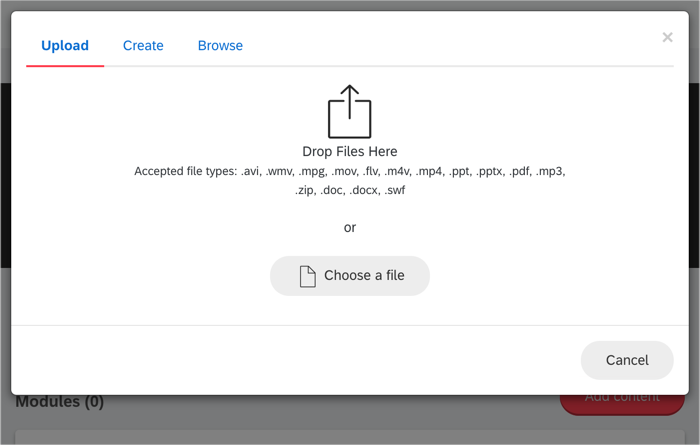
Once your course has been created, you will click 'Add Content' and then drag and drop or choose a file from your computer to upload.
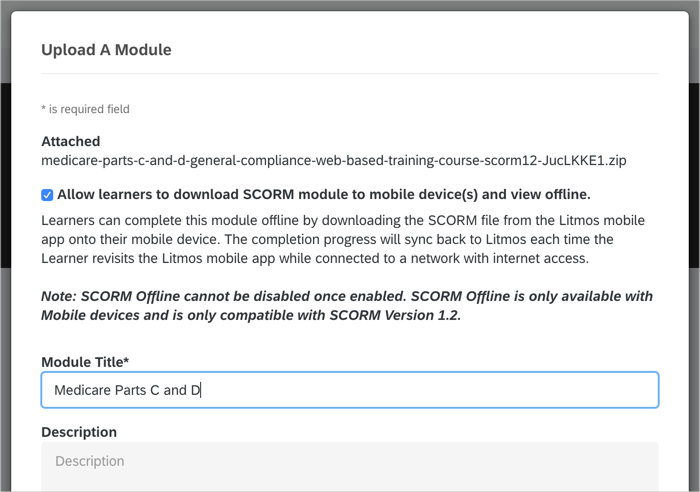
Click the checkbox indicating that this file can be available offline.
Once the content has been uploaded, you can add quiz materials and/or assign teams or individuals the course.
Comments
0 comments
Please sign in to leave a comment.