
From your Compliance Manager Workspace
Step 1.
Navigate to the training administrator's dashboard by selecting 'Training' from the blue menu bar at the top of your screen.
Step 2.
Select Content from the menu options appearing at the top of the screen.
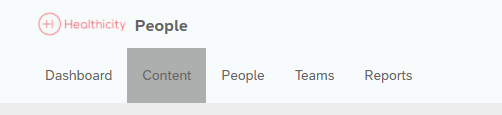
Step 3.
Select Courses or Learning Paths to access the related list.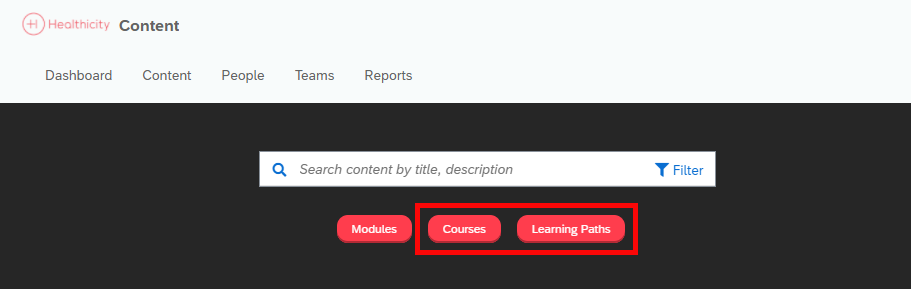
Step 4.
Select the course or learning path by clicking its title.

Step 5.
Select People or Teams from the course or Learning Path menu options.
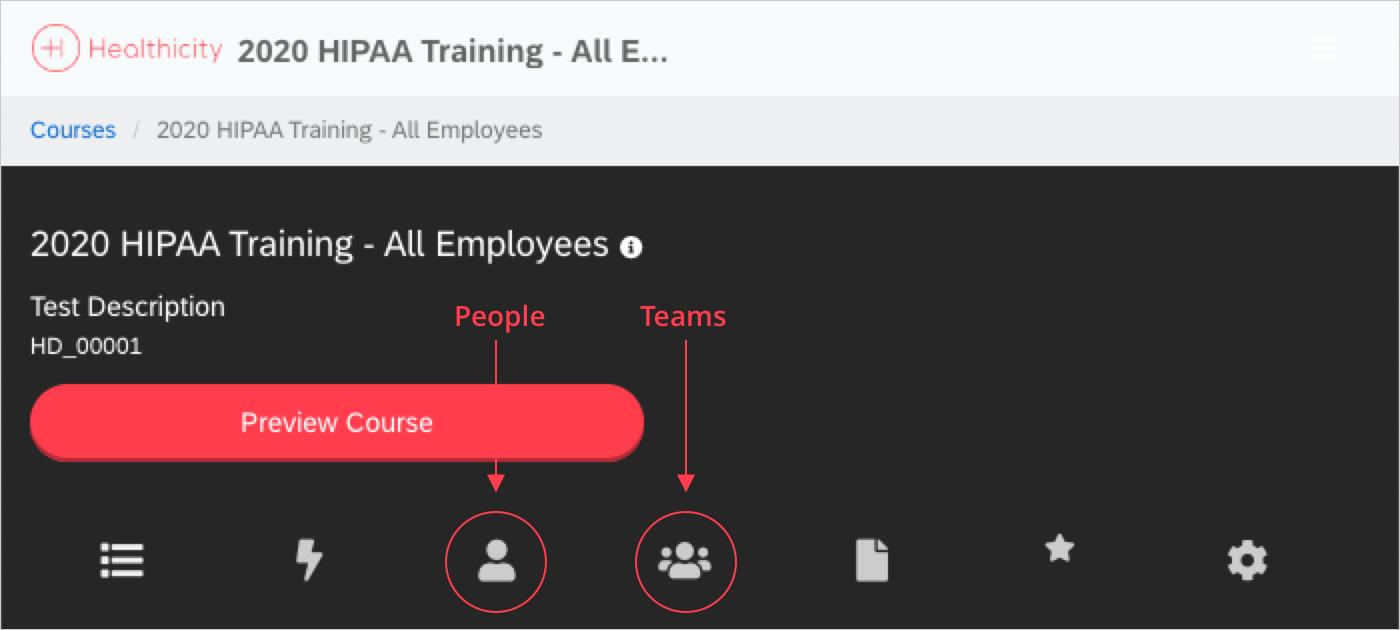
Workflow Tip: Assigning a course or learning path to a team, will result in the auto assignment to any user added to the team currently, and in the future.
Step 6.
Click the red 'Assign to Existing People' or 'Assign to Teams' button.
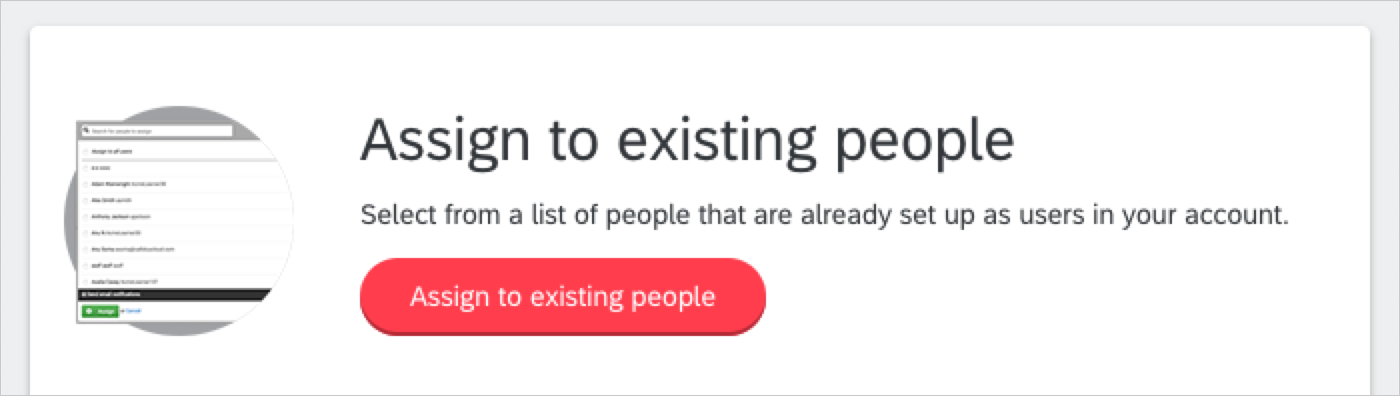
Step 7.
Select the people or teams to assign the course or learning path to.
Step 8.
Select Send email/text notifications to Learners to generate a notification email to the users or teams, or leave unselected to suppress the related notification.
Step 9.
Click 'Assign.'
Comments
0 comments
Please sign in to leave a comment.