
Submit Records allows for the uploading of records to be used in audits. To upload records to be associated to audits follow the following steps.
Accepted File Formats:
- Portable Document Format (PDF)
- Microsoft Excel (XLSX)
- Microsoft Word (DOCX)
Step 1.
Click on the 'Attach New File(s)' button.
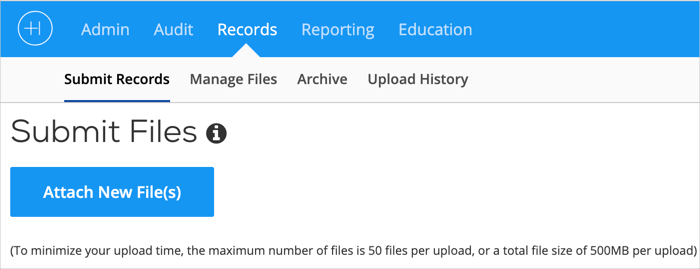 Submit Records Image 1.
Step 2.
Choose file(s) from your desktop or network drive.
When files appear in Audit Manager, confirm the files, delete unnecessary files or add additional files.
Step 3.
Once all files have been loaded and reviewed, click the 'Save & Submit' button.
Managing Files
Once records are uploaded they will need to be managed. Learn about assigning records to audits here.
Comments
0 comments
Please sign in to leave a comment.