This article explains how to manage templates in the Template Library, accessed from the Admin module. You can favorite templates for quick access, duplicate them to edit without changing the original, and set a template as the default to customize fields as needed.
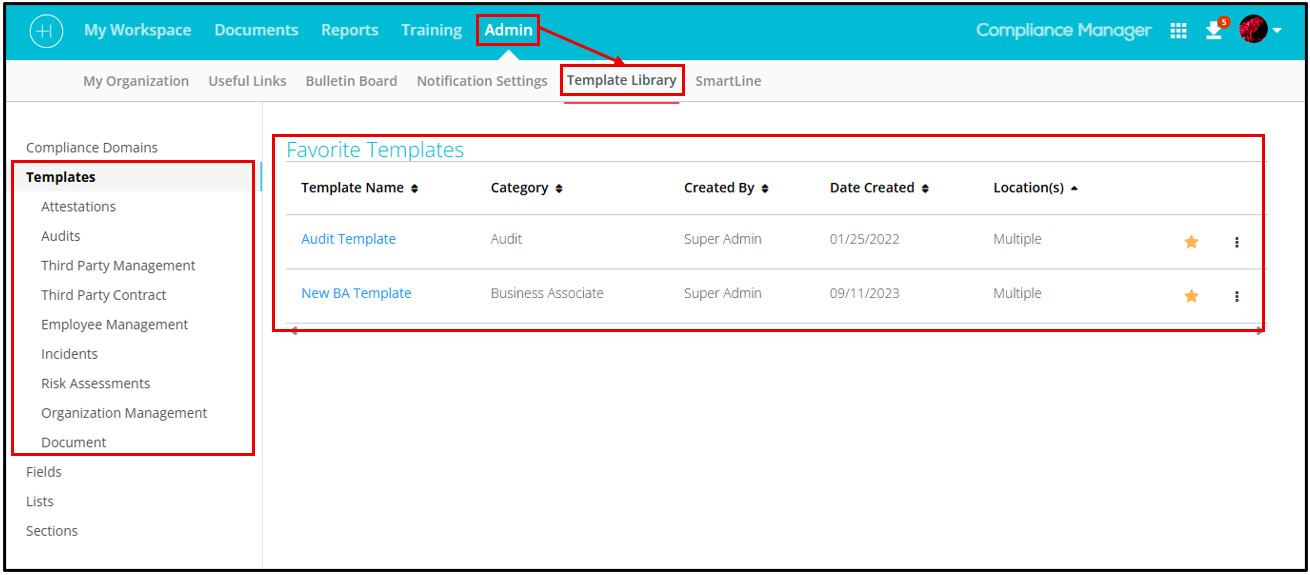
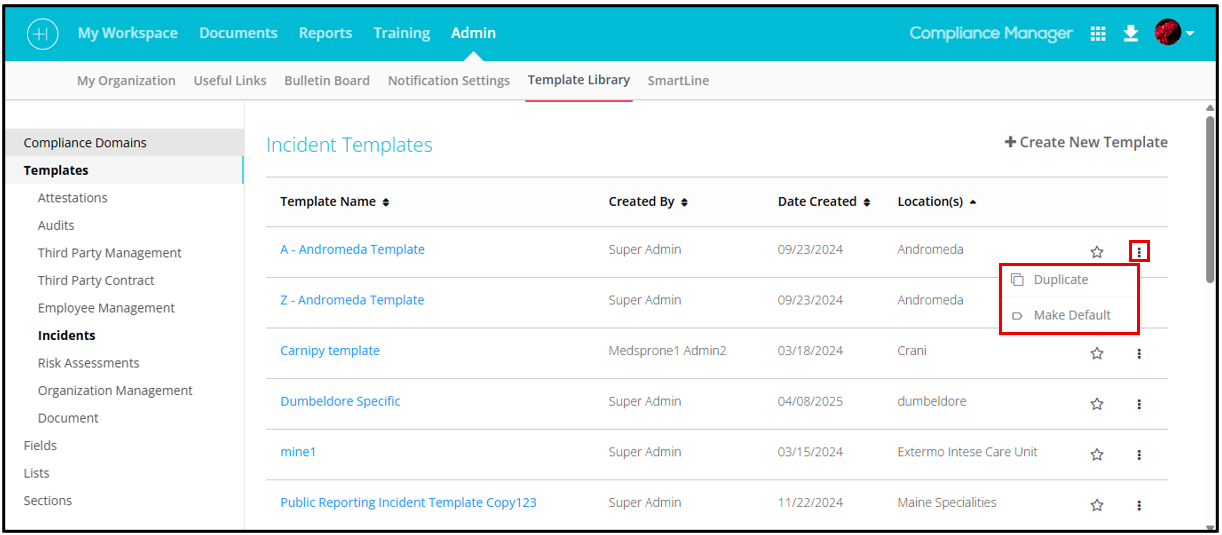
From the list view, several menu actions are available:
- Favorite: Click the star icon to add or remove a template from your Favorite Templates list.
- Duplicate: Create a copy of an existing template to make changes without affecting the original. Click the More (⋯) menu next to the template to access this option.
- Make Default: Set a template as the default to create a modifiable copy, allowing you to add or remove fields as needed. Access this option from the More (⋯) menu next to the template.
© Healthicity, LLC

Comments
0 comments
Please sign in to leave a comment.