
Setting up Audit Guidelines for HCC Risk Audits
Scope of Audit
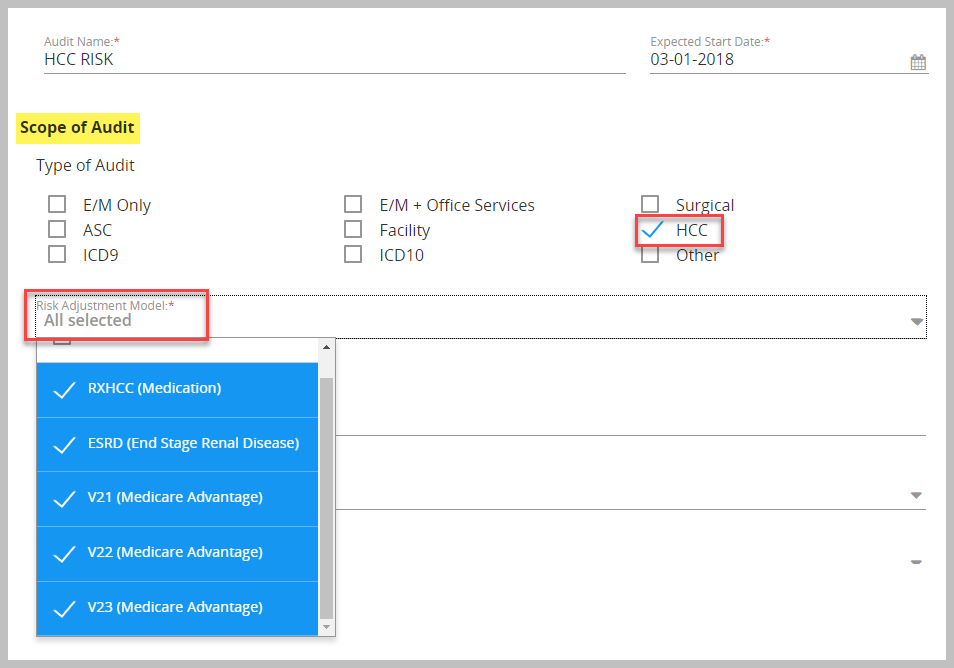
- Check the HCC box under scope of audit
- Check the appropriate Risk Adjustment Models
- RXHCC (Medication)
- ESRD (End Stage Renal Disease)
- V21 (Medicare Advantage – 2017 DOS)
- V22 (Medicare Advantage – 2018 DOS)
- V23 (Medicare Advantage – 2019 DOS)
- V24 (Medicare Advandage – 2020 DOS
Audit Parameters/Guidelines
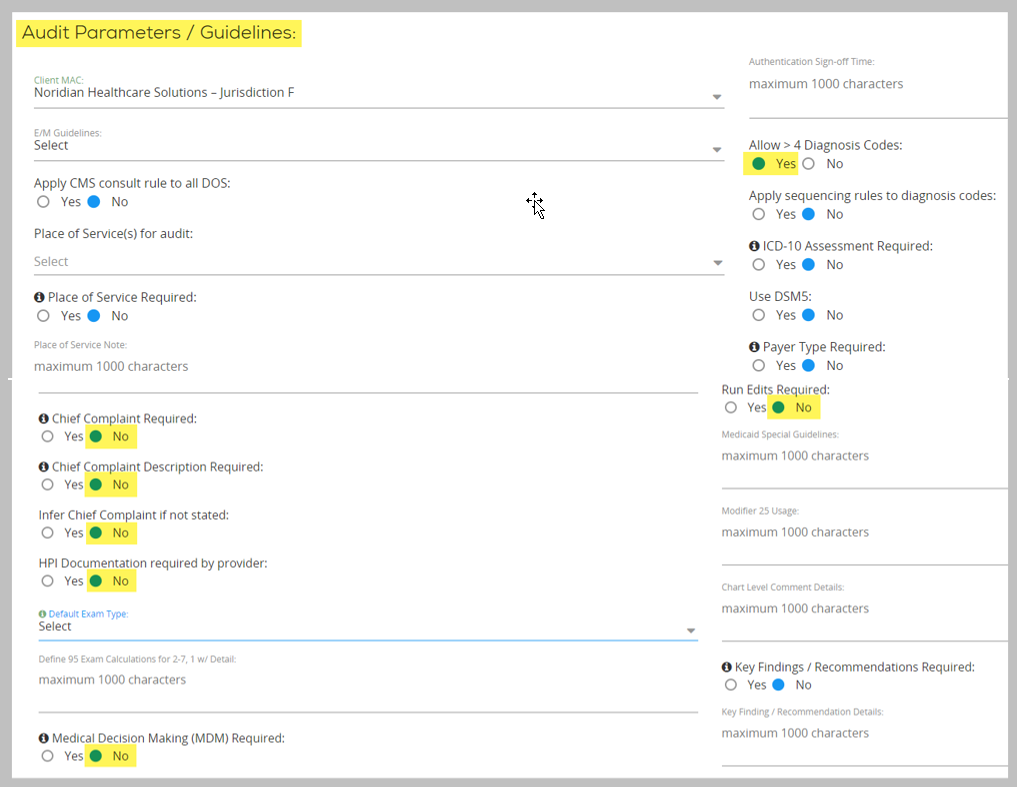
- Allow > 4 Diagnosis Codes – set to YES
- If performing strictly HCC Audits without E/M codes:
- Chief Complaint Required – set to NO
- Chief Complaint Description Required – set to NO
- Infer Chief Complaint if not stated – set to NO
- HPI Documentation required by provider – set to NO
- Medical Decision Making (MDM) Required - set to NO
- Run Edits Required – set to NO
Assign Report Parameters
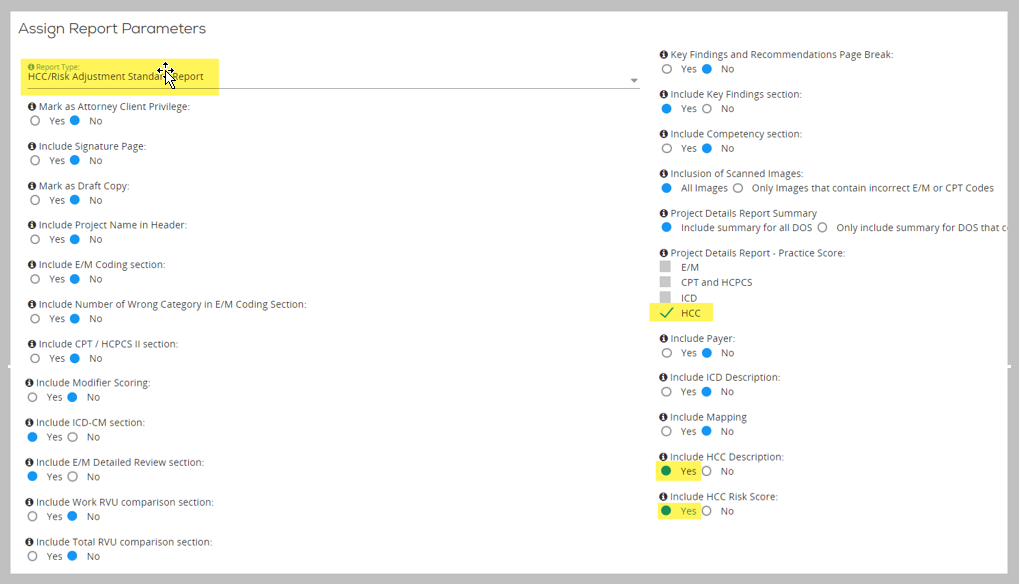
- Set your report type (samples at end of this article)
- HCC/Risk Adjustment Standard Report – this is for HCC only audits
- HCC/Risk Adjustment Combo Report – this is for HCC & EM/Surgical audits combined.
- Project Details Report – Practice Score – check the HCC box
- Include HCC Description – set to YES
- Include HCC Risk Score – set to Yes
Note: Audit Manager does not calculate the risk score - this is an open text field to be filled out by the auditor. The Risk Score field (if enabled in the Audit Guidelines) will display below the CPT scoring section in the Audit Box. In addition to the ICD-10-CM codes, there are specific elements such as Medicare eligibility used in the calculation of the risk score, most of which are not captured in the normal professional claim audit, therefore, calculating the Risk Score falls outside the scope of Audit Manager.
Performing HCC Risk Audits
Once HCC Auditing has been enabled in the Audit Guidelines, two new columns will appear in the ICD/EM/CPT/HCPCS Codes scoring section of the Audit Box.
Pro Tip: If the audited ICD-10 code is correct, use the copy to audited quick click to walk the code across the columns. If incorrect, type the correct code into Audited and Risk Adjustment ICD-10 columns.
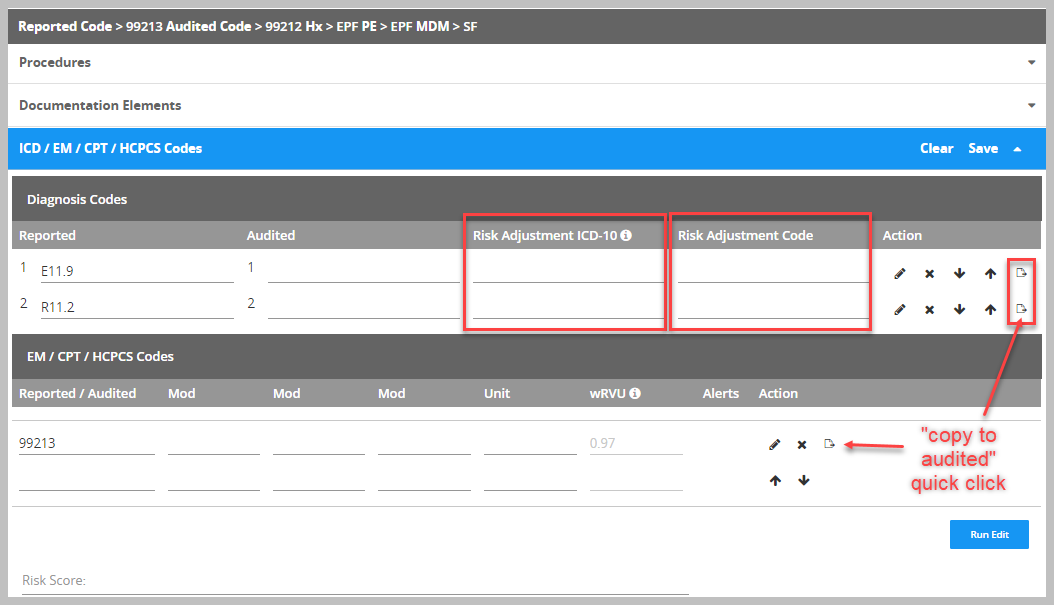
Depending upon the risk adjustment models selected in the audit guidelines, the correlating Risk Adjustment Codes (RAC) will pull into the Risk Adjustment Code column.
If the ICD-10 code is not a risk code, an N/A will be displayed in the Risk Adjustment Code column.
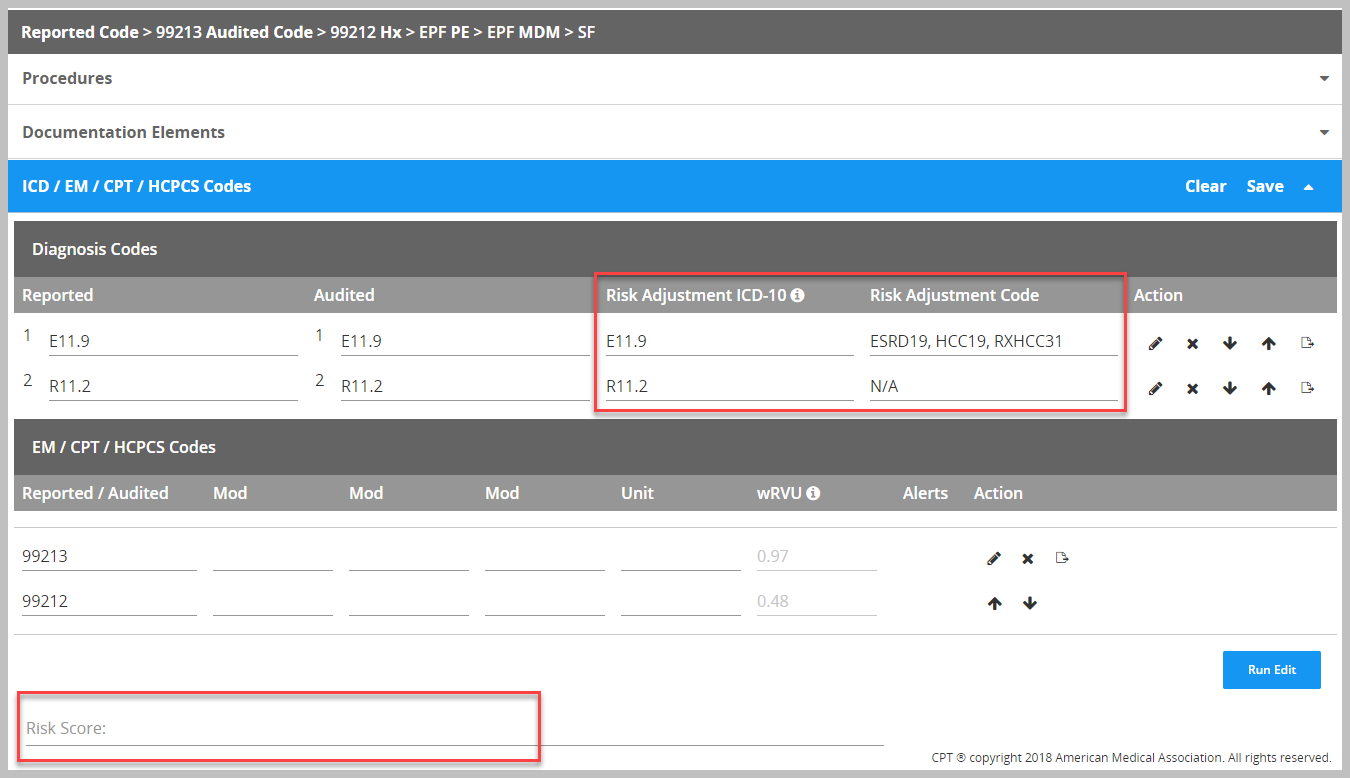
Note: Audit Manager does not calculate the risk score - this is an open text field to be filled out by the auditor. The Risk Score field (if enabled in the Audit Guidelines) will display below the CPT scoring section in the Audit Box. In addition to the ICD-10-CM codes, there are specific elements such as Medicare eligibility used in the calculation of the risk score, most of which are not captured in the normal professional claim audit, therefore, calculating the Risk Score falls outside the scope of Audit Manager.
HCC Risk Audit Reports
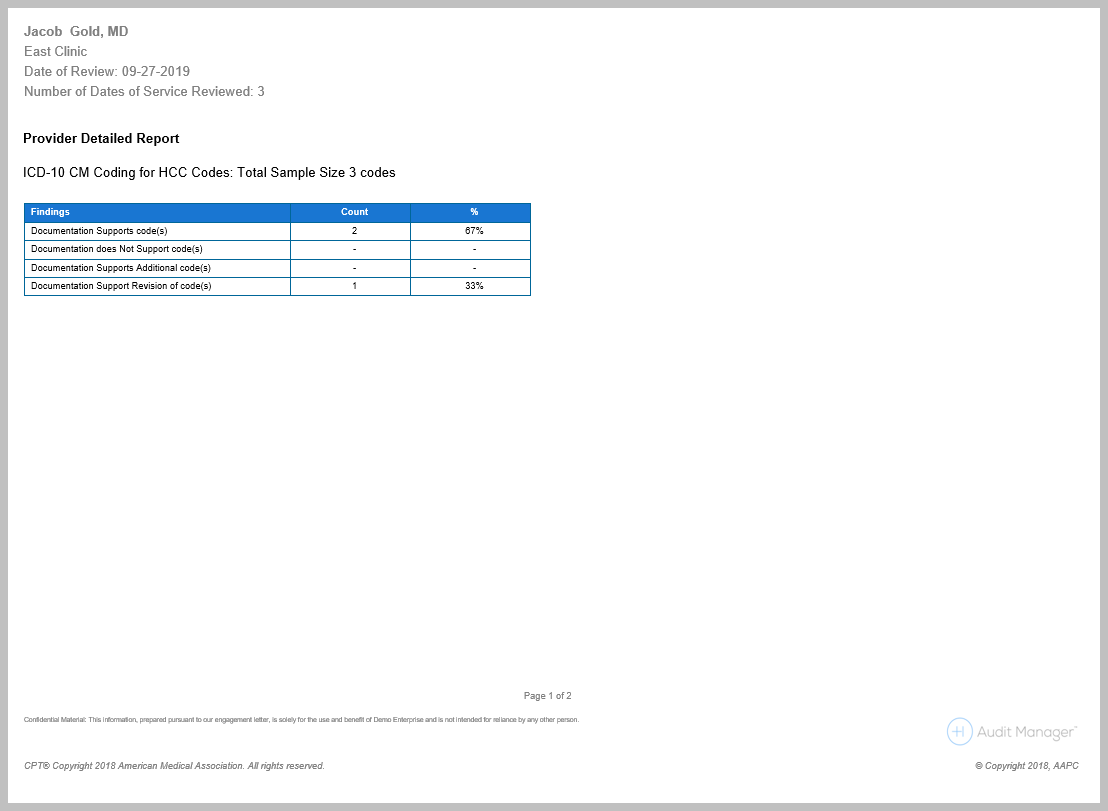
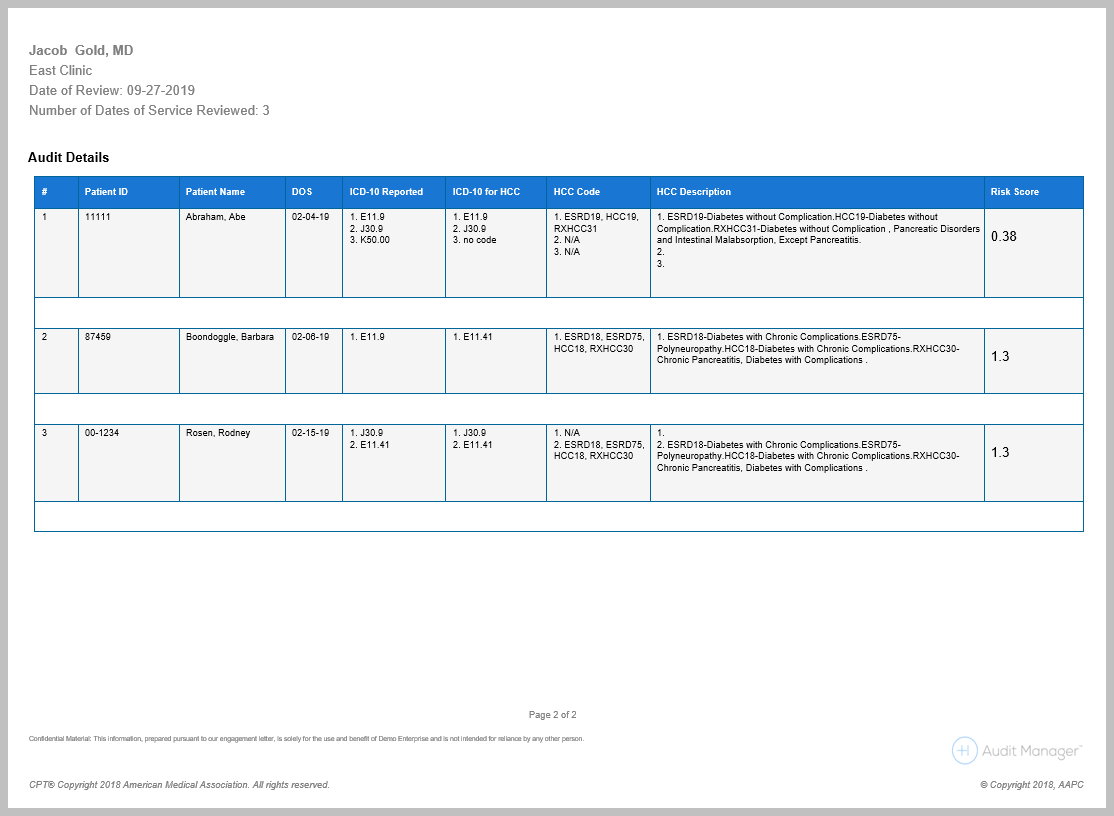
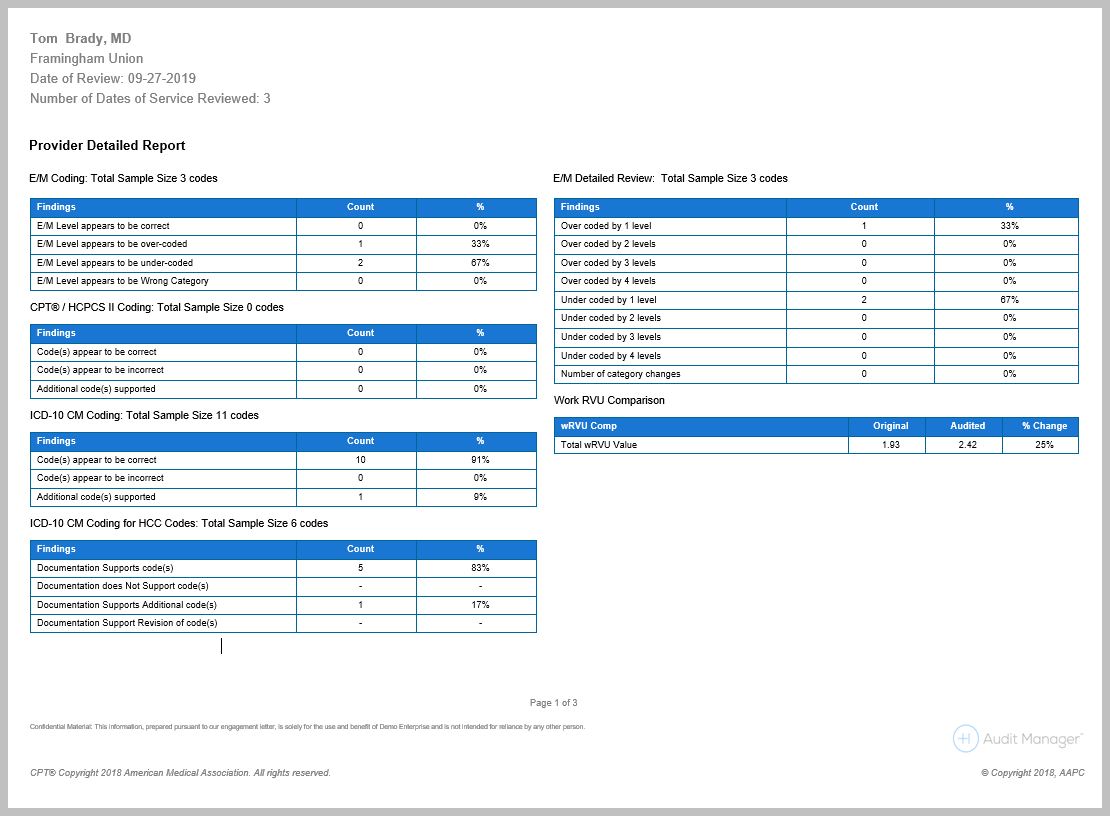
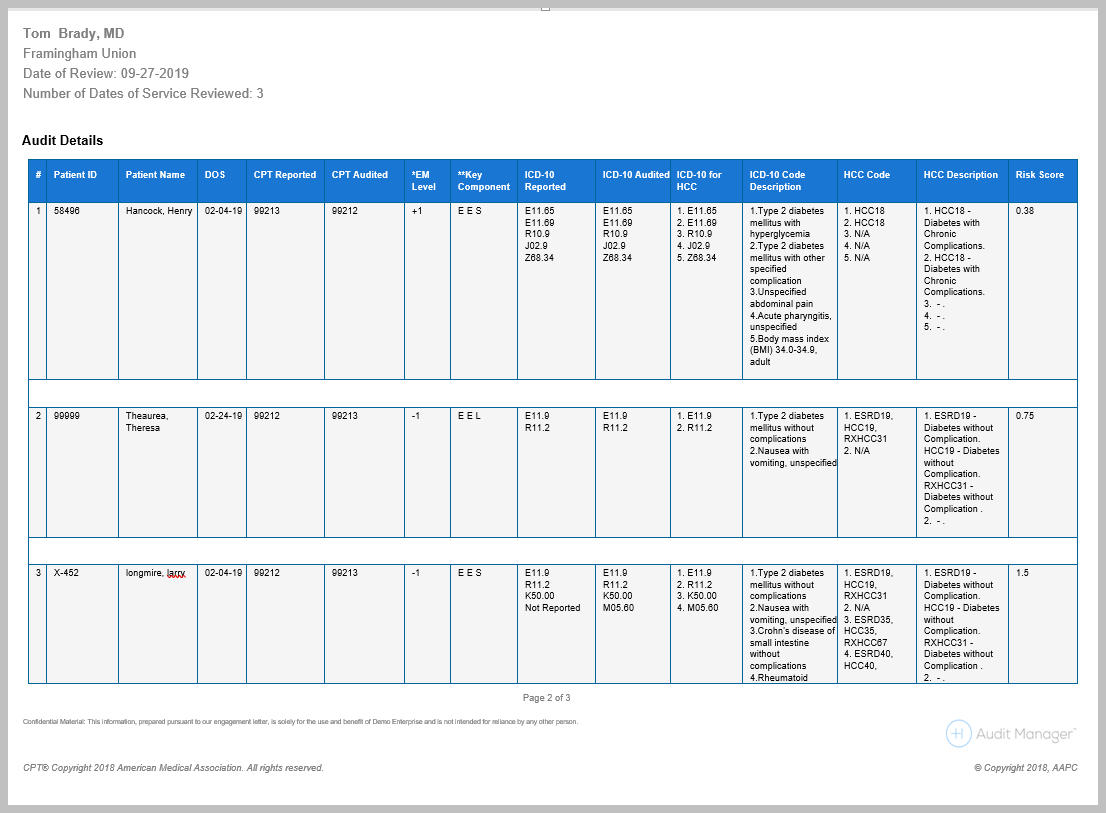
The report samples are designed to demonstrate the different code tables on the front page and columns in the chart tables on subsequent pages for each report type.
- Risk Adjustment Standard Report – used for HCC only audits
- HCC/Risk Adjustment Combo Report – this is for HCC & EM/Surgical audits combined
Comments
0 comments
Please sign in to leave a comment.